Workflow discovery
Map the actual process, systems, ownership and recurring breakdowns.
AI workflow automation · Canada
Salient AI helps Canadian businesses automate repeatable work across their existing tools. We map the process, connect the steps that can be automated and keep approvals and unusual cases with an accountable person.
Start with one useful resultDiscuss Workflow Automation↗
The opportunity
Begin with a process your team repeats: moving an approved inquiry into a work queue, preparing a routine document or routing a request for review. We compare the time spent, frequency, error risk and cost of running the automation. Clear rules handle predictable steps; AI can assist tasks that involve interpreting or drafting information. See how Salient AI consulting connects this service to leadership, adoption and a measurable business case.
What Salient AI builds
Every component makes the work, exception and accountable person easier to see.
Map the actual process, systems, ownership and recurring breakdowns.
Define triggers, inputs, permitted actions, approvals and exceptions. Set the examples and performance measures the pilot must satisfy before wider use.
Confirm available integrations, access permissions and data fields before choosing the tools. Document which steps can run automatically and which still need manual input.
Pause work wherever context, risk or judgement changes the answer.
Make failed steps visible to an owner and test recovery without repeating completed actions. Document how to pause the workflow, correct a record and resume safely.
Measure completion rates, staff handling time and exceptions. Review software and AI usage costs alongside the time saved so the next improvement has a business case.

Connect the inputs, routine actions, exceptions and human checkpoints.
From process to practice
Business process automation can connect an approved request, a record update and an assigned task using clear rules. AI may help interpret an email or prepare a draft when the inputs vary. Choose each step deliberately. Document what is allowed to run, what requires approval and how a failed action is retried without creating duplicate records or messages. A useful handover includes a process map, test examples and an operating owner.
Start small
Choose one frequent process with clear inputs and a recognizable result. Record the current handling time and exceptions, agree on a limited scope, then test it with representative cases. Expand only after the team can operate it and the benefit justifies the running cost.
A focused first engagementPlan the first step↗
Measure one recognizable improvement, learn from exceptions and expand responsibly.
What should improve
Frequently asked
Start with work that repeats frequently, follows understandable rules and creates a meaningful delay or burden.
Often, yes. We first confirm access, integration options and data requirements before recommending changes.
We design exception paths deliberately so the system can pause, request information or route the issue to an accountable person.
The scope depends on the number of systems and steps, the quality of the inputs, available integrations and the exceptions that need handling. Setup work and recurring software or AI usage costs should be identified separately.
We agree on an operating owner, failure notifications and a review process as part of the scope. The handover should explain how to pause the workflow, correct a problem and update it when the business process changes.
No. Predictable steps may work better with simple rules and existing software features. Use AI where interpretation or drafting has a clear role, and test whether it improves the process enough to justify the cost and review effort.
Agree on a working scoped process, its system connections and access requirements, representative test results, exception handling and operating instructions. The review should explain whether to expand, revise or stop, based on measured performance and staff feedback.
Related resources
Related insight
See why an entry-level AI plan may support experimentation without giving a capable employee enough room to run a serious workflow.
AI capacity, adoption and outputRead the $20 AI plan article↗Workflow Automation in practice
These stories show how Salient AI begins with the actual workflow, the friction and the accountable people—not a generic automation package.
Explore all client work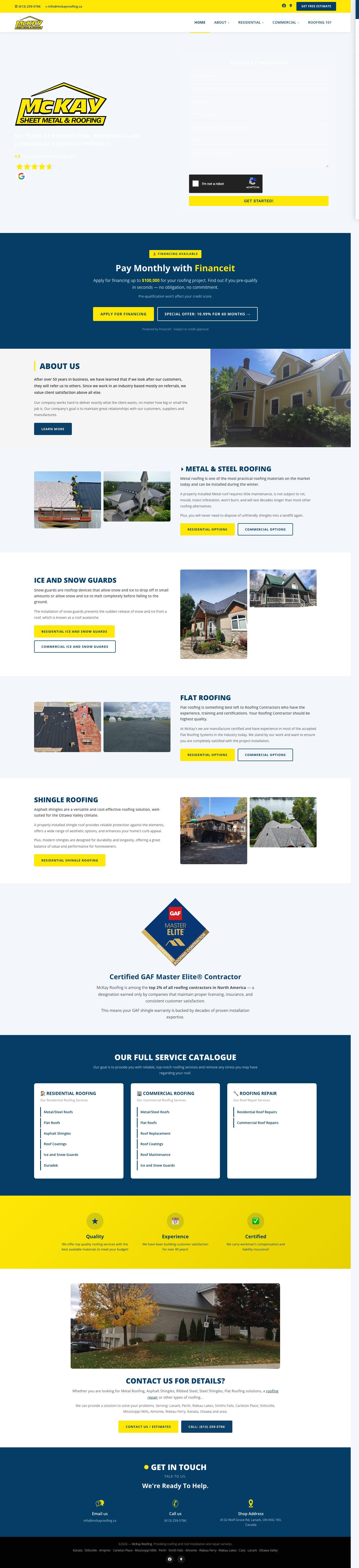
 McKay Roofing
Search visibility that earns bids, followed by a one-day prototype and an integrated operations-platform rebuild.
Read the client story ↗
 Base Bins
Marketing, ordering, payments and an AI receptionist connected around winning and closing local bin-rental leads.
Read the client story ↗
 BluSky Dental
A multilingual AI-built website, search program and AI receptionist designed around the complete lead path.
Read the client story ↗One useful beginning
Bring us one recurring administrative bottleneck. We will map a focused first result, the exceptions and the controls needed to make it useful.
A practical first stepTalk with Salient AI↗