Document intake
Accept approved files and establish naming, ownership and retention rules.
AI document processing · Canada
Salient AI helps teams classify, extract, compare and prepare documents while keeping source files, confidence and review requirements clear.
Start with one useful resultDiscuss Document Processing↗
The opportunity
We create a traceable path from intake to structured information and a review-ready output. The system should make the source easier to verify, not conceal where an answer came from. See how Salient AI consulting connects this service to leadership, adoption and a measurable business case.
What Salient AI builds
Every component makes the work, exception and accountable person easier to see.
Accept approved files and establish naming, ownership and retention rules.
Identify document type and route it to the appropriate process.
Define the required fields and preserve where each value came from. Keep absent values distinct from a guessed answer or an empty string.
Identify inconsistencies, missing information and unusual values.
Use verified examples and exception rules to decide what staff inspect. Hold mismatched totals, unexpected formats and uncertain values before a downstream update.
Preserve source, version, action and approval information appropriate to the work.

Connect the inputs, routine actions, exceptions and human checkpoints.
From process to practice
Optical character recognition turns a scan into readable text. Information extraction identifies the fields your workflow needs, such as a document date or reference number. Both can fail on a difficult file. Compare extracted values with verified examples, preserve the source location and send uncertain or contradictory values for review. A confidence score helps prioritize inspection; it is not proof that a value is correct.
Start small
Choose one recurring document type and a few verified fields. Assemble representative files, including poor scans, missing values and duplicates. Compare each extracted field with an expected answer and test the review queue before exporting anything into the next system.
A focused first engagementPlan the first step↗
Measure one recognizable improvement, learn from exceptions and expand responsibly.
What should improve
Frequently asked
Often, yes, though scan quality and handwriting affect reliability. We test representative files before setting expectations.
Not where accuracy, judgement or accountability requires a person. The goal is to prepare the work and focus review attention.
Usually, if the receiving system provides an appropriate and secure integration path.
Use representative documents with verified expected values, including difficult scans and missing fields. Review incorrect or uncertain results field by field before sending information into another workflow.
Document volume, format variation, required fields, review requirements and system connections affect the scope. Identify recurring processing and storage costs alongside setup work.
OCR reads text from an image or scan. A document workflow also identifies the required information, checks it, handles exceptions and prepares the next action. The pilot should test these steps together.
No. A threshold can help decide which fields need attention, but its usefulness must be tested on representative files. Keep source evidence and explicit review rules, especially where an incorrect value changes the next business action.
Related resources
Document Processing in practice
These stories show how Salient AI begins with the actual workflow, the friction and the accountable people—not a generic automation package.
Explore all client work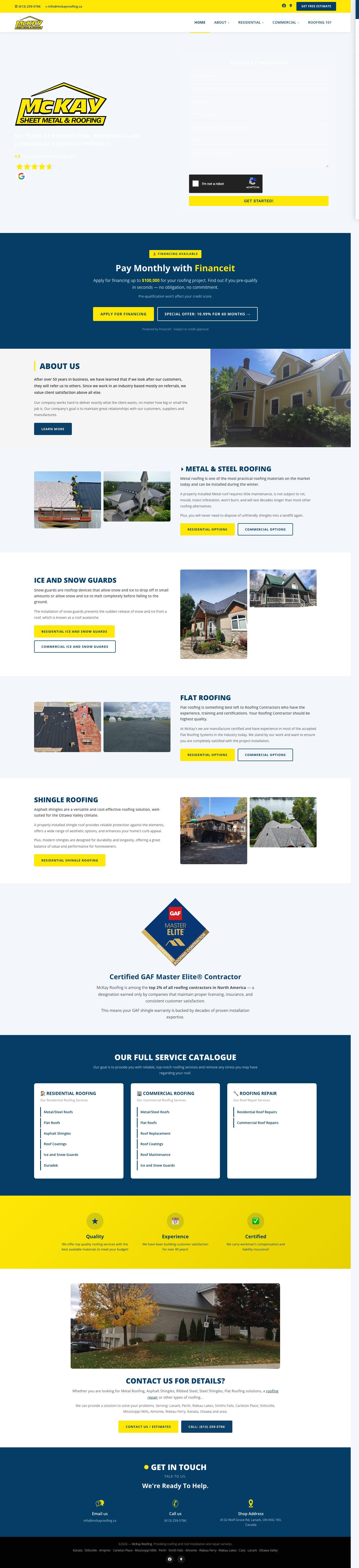
 McKay Roofing
Search visibility that earns bids, followed by a one-day prototype and an integrated operations-platform rebuild.
Read the client story ↗
 Base Bins
Marketing, ordering, payments and an AI receptionist connected around winning and closing local bin-rental leads.
Read the client story ↗
 BluSky Dental
A multilingual AI-built website, search program and AI receptionist designed around the complete lead path.
Read the client story ↗One useful beginning
Bring us one recurring administrative bottleneck. We will map a focused first result, the exceptions and the controls needed to make it useful.
A practical first stepTalk with Salient AI↗