Scheduling rules
Define availability, duration, buffers, ownership and service constraints.
AI scheduling and reminders · Canada
Salient AI builds scheduling and reminder workflows that respect availability, priority, consent and the exceptions only a person can resolve.
Start with one useful resultDiscuss Scheduling & Reminders↗
The opportunity
We connect the event, the responsible person and the appropriate reminder. The workflow can coordinate routine timing automatically while escalating conflicts, sensitive situations and exceptions to a person. See how Salient AI consulting connects this service to leadership, adoption and a measurable business case.
What Salient AI builds
Every component makes the work, exception and accountable person easier to see.
Define availability, duration, buffers, ownership and service constraints.
Identify the authoritative calendar, service duration, staff buffers and time zones. Confirm only after the booking system accepts the reservation.
Coordinate approved calendars and scheduling tools without duplicating records.
Send useful, appropriately timed messages through permitted channels.
Stop obsolete reminders after cancellation or rescheduling. Route failed deliveries, conflicts and unsupported requests to a named person.
Make incomplete next steps visible to the accountable team.

Connect the inputs, routine actions, exceptions and human checkpoints.
From process to practice
Appointment scheduling needs a clear distinction between a request and a confirmed reservation. Agree which calendar owns availability, how time zones and staff buffers are handled, and when a customer receives confirmation. If the booking changes, the workflow should cancel obsolete reminders. Test a failed calendar update, a cancellation and a staff override before relying on automated messages.
Start small
Choose one appointment type and one calendar owner. Test a normal booking, a conflict, a cancellation and a time-zone change using test records. Review whether confirmations, reminders and staff tasks stay aligned before inviting real customers into the workflow.
A focused first engagementPlan the first step↗
Measure one recognizable improvement, learn from exceptions and expand responsibly.
What should improve
Frequently asked
Often, yes. We first define availability, assignment and privacy rules for the calendars involved.
They can when the chosen platforms, consent and communication policies support those channels.
The workflow should make it easy to reach a person. Automation should not trap unusual or sensitive needs.
The workflow should update the relevant record, stop obsolete reminders and notify the responsible person when a change needs attention. We test those paths with the normal booking flow.
We assess how the chosen calendar or booking system checks availability and confirms a reservation. Staff buffers, service constraints and failure handling must be defined and tested before launch.
No. A request needs an accepted time and any required staff or system confirmation. The customer-facing message should make the current state clear, especially if the calendar connection is unavailable.
Use designated test records and controlled destinations. Walk through confirmation, changes, cancellation and failed delivery, then verify that only the current appointment produces the expected messages.
Related resources
Scheduling & Reminders in practice
These stories show how Salient AI begins with the actual workflow, the friction and the accountable people—not a generic automation package.
Explore all client work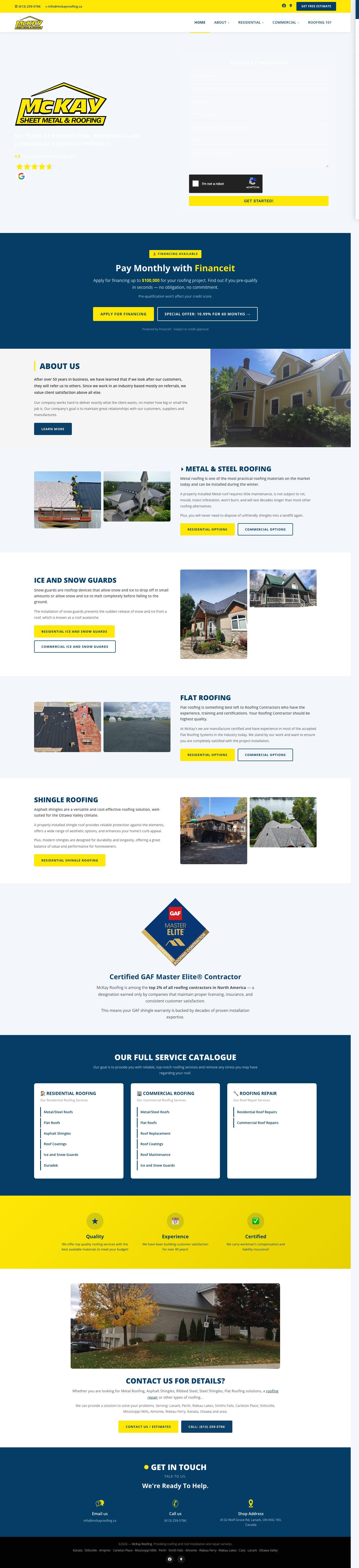
 McKay Roofing
Search visibility that earns bids, followed by a one-day prototype and an integrated operations-platform rebuild.
Read the client story ↗
 Base Bins
Marketing, ordering, payments and an AI receptionist connected around winning and closing local bin-rental leads.
Read the client story ↗
 BluSky Dental
A multilingual AI-built website, search program and AI receptionist designed around the complete lead path.
Read the client story ↗One useful beginning
Bring us one recurring administrative bottleneck. We will map a focused first result, the exceptions and the controls needed to make it useful.
A practical first stepTalk with Salient AI↗