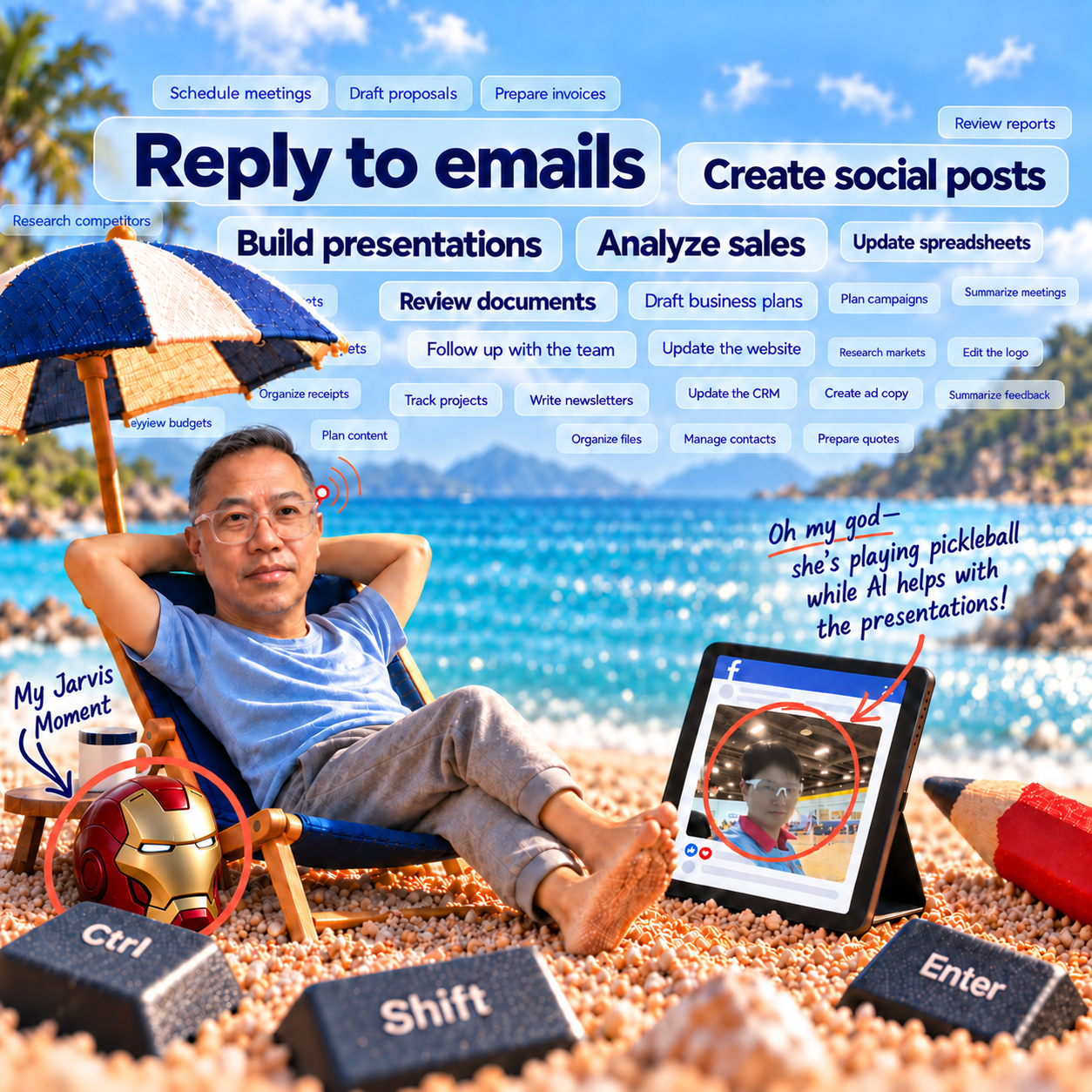
Remember Tony Stark casually talking to JARVIS in Iron Man?
He’d explain an idea, ask a question, change his mind—and his AI assistant would help keep things moving.
I’ve always wanted that.
If I’m picking up groceries, riding in the passenger seat or waiting for a coffee and an idea comes to me, I want to do something with it. Explain it. Give it some direction. Have something ready to review later.
Why should the idea have to wait until I’m back at my desk?
OpenAI has a feature called dot that has made that possibility much more interesting. You can give your dot a name, too. Naturally, JARVIS comes to mind.
But before we get to my prospective digital sidekick, there’s something about AI I don’t think we’re highlighting enough.
The desktop changes the experience.
If you’ve only used ChatGPT in a browser, you may have spent most of your time asking questions, rewriting emails or uploading the occasional document. Useful, certainly. Browser-based AI can also handle substantial assignments.
But for my work, the desktop becomes far more useful when the AI can work with the files and applications I already use. That was where I began to appreciate how much I had been overlooking.
Here’s the moment that caught me off guard.
I had enabled Computer Use and given the AI broad access in my desktop environment. I asked it to make a change to a logo.
It opened Adobe Illustrator and made the change.
I hadn’t walked it through the menus. I hadn’t given it a set of Illustrator commands. I explained what I wanted, and it used an application on my computer to do the work.
I was surprised, shocked and awed at the same time.
It’s one thing to read that AI can help with graphic design. It’s another to watch it open your software and work on your logo.
Pretty crazy, right?
It immediately made me wonder what else I was still doing manually because I hadn’t realised I could ask.
That particular result came from my own setup and task. It doesn’t mean every application or request will work equally well. But OpenAI’s Computer Use feature does allow AI to interact with approved desktop applications and browser pages.
For me, seeing it happen was much more persuasive than reading a feature list.

Your computer already contains much of what you need to get work done: spreadsheets, presentations, project photographs, brand assets and documents. Other information lives in your email, Google Drive or the websites you use.
When the AI has appropriate access to those resources, you can start giving it assignments like these:
- “Use these messy notes to prepare a presentation.”
- “Look through this spreadsheet and tell me what changed.”
- “Find the document in Google Drive that explains this.”
- “Use our project photographs and business information to draft five social media posts.”
With suitable tools and permissions, ChatGPT can create and revise files, use connected information and work with local resources. That can include PowerPoint presentations, Excel workbooks and drafts of business plans.
Suddenly, the conversation has somewhere useful to go.
This is also why I wrote Is Your Social Media Stuck in Groundhog Day? Break the Cycle with AI. Businesses often have plenty of useful material. The challenge is turning it into something finished without the production process consuming all the available time.
Your experience still provides the substance. AI can help you do more with it.
More things happen when you allow that access.
Now, you might find this exciting. You might also find it worrying, shocking or a little horrifying.
I understand that reaction. Watching software operate other software on your computer takes some getting used to.
Think back to the early days of shopping online. For some people, entering a credit card into a website felt like a serious leap of faith. Today, ordering something online is an ordinary part of the day.
The risks didn’t disappear. We became more familiar with the process and developed expectations about who we trusted.
My view is that convenience is a powerful reason people change their habits. When something makes a real part of life easier, we become much more interested in figuring it out.
That doesn’t require giving AI unrestricted access to everything. Start with the files and applications a task needs. Be clear about what it may change and what should come back for review. The available controls depend on the tool and setup.
You can build confidence through useful work you can inspect.
Meet your dot. Find your JARVIS.
Then comes dot—the part that brings me back to JARVIS.
A dot is an ongoing AI agent with its own computer and browser in the cloud. You can give it responsibilities, discuss priorities and have it coordinate work. It can bring back results or ask for a decision that needs you.
You can message it or call it, and assigned work can continue after your conversation ends. It uses relevant context and saved notes to help maintain continuity, although its memory is not a complete record of every interaction. OpenAI explains how dots work here.
Imagine being able to explain a project, step away, then come back with another instruction without having to restart the whole conversation.
That is the working relationship I want to explore.
The distinction between cloud and desktop work matters. Cloud work can continue with your computer off. If an assignment needs applications or files on your own computer, that computer must remain online with the ChatGPT app open. Dot availability also depends on your plan, region and workspace as access rolls out. Connection and availability details.
The cloud gives the assistant somewhere to keep working. The connected desktop gives it access to more of the environment where my work actually happens.
And I can talk through the assignment.
In my article about learning to talk to AI, I focused on dictation: speaking instructions, checking the text and reviewing the result. Live voice conversation adds another way to explain an idea, ask questions and change direction while work continues.
It starts to feel much closer to that JARVIS conversation I had imagined. Sweatpants optional.

My colleague Victoria has been exploring this too. After connecting the business tools she uses, she received an AI-generated alert flagging an issue that might need her involvement. She also shared a pickleball picture with an update about work her assistant was helping handle while she was away. That was a very human example of the flexibility we had been discussing.
An alert is still something to assess. The assistant needs relevant information, and noticing an issue doesn’t mean it has resolved it. Dots can research permitted information and follow defined responsibilities, bringing useful findings back to the person who needs them.
Useful work. Human judgement.
Will the AI screw up sometimes? Absolutely.
It may misunderstand an instruction. It may produce something that needs correcting. You may have to explain yourself again.
But people already spend time correcting drafts, finding missing information and repeating work. My question is whether the complete AI-assisted process—including the review—gets me to a useful result more efficiently.
For some assignments, it does. For others, I still have work to do on the process.
What I wouldn’t do is assume that a disappointing experience six months ago settles the question forever. The tools change, and so does your ability to direct them.
AI does not automatically perfect itself, and today’s mistake isn’t guaranteed to disappear tomorrow. But an old limitation is worth testing again when the capabilities or setup have changed.
“I tried it once” can become an expensive place to stop learning.
What could your team do next?
The implications extend beyond getting through your own task list.
In April 2026, The New York Times reported that Medvi generated US$401 million in sales in 2025 and projected US$1.8 billion for 2026. Its two-person internal team used AI extensively alongside outside platforms, contractors and professional firms. That outside support was a substantial part of the operation. Read the report, republished by GV Wire.
I wouldn’t turn that into a promise that any two people can build a billion-dollar business. But it gives us a reason to reconsider what a small team might accomplish with the right tools and partners.
In my work at Salient AI and miRoncol, I want us to keep asking what becomes possible when we change how we work. That means making time to investigate, experiment and learn from actual results.

We use ChatGPT, Claude and Gemini according to the assignment. We also use higher-tier plans where the additional capacity supports the work. As I explored in my article about moving beyond a basic AI subscription, buying access is only the beginning.
You have to use it. Give it something real to do. Let the experience challenge your assumptions.
That Illustrator moment did exactly that for me. I asked for a change and discovered a capability I hadn’t expected. It made me look differently at the next task—and the one after that.
What you don’t know about AI may already be costing you time and money.
You couldn’t have learned all of today’s capabilities at school years ago. Your experience still matters enormously. But curiosity and a willingness to practise are becoming part of how you put that experience to work.
I used to watch Tony Stark talking to JARVIS and think how useful an assistant like that could be.
Now I’m looking at a little dot and wondering what else I haven’t thought to ask.
Alright, JARVIS. Let’s find out.
Written from Stephen Lau’s experience and point of view, with AI-assisted research, editorial production and illustrations.