Websites and development
What Is a Website Component?
A website component is a reusable piece of a page or interface, such as a navigation menu, service card or enquiry form. It combines a defined structure with the content and behaviour it needs. The exact implementation depends on the website’s technology.
Definition and further reading: React. Sources checked 7 November 2026.
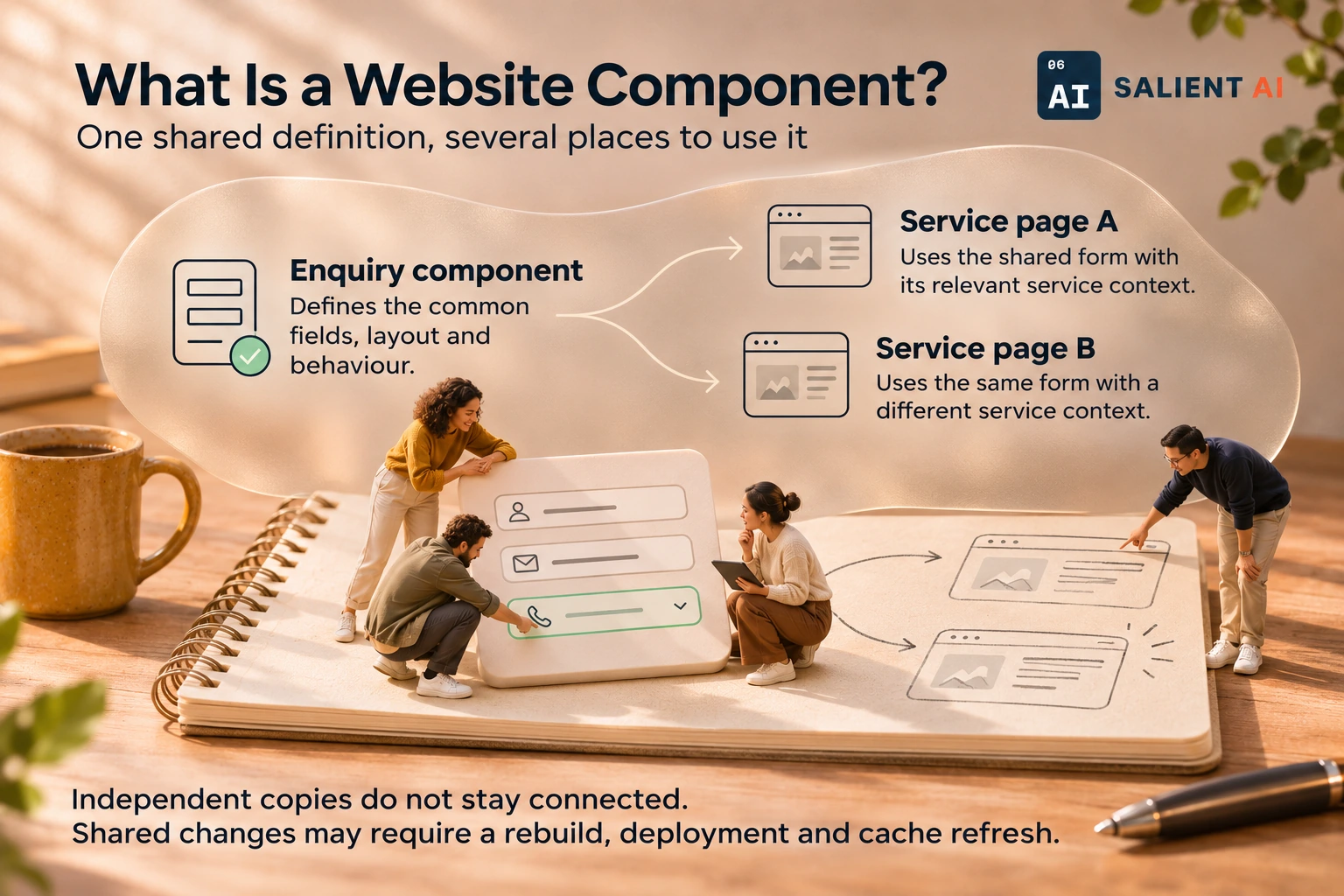
One shared definition, several places to use it
Pages reuse the component while supplying their own relevant content.
AI-generated illustration of a fictional business.
Read the infographic as text
Pages reuse the component while supplying their own relevant content.
- Enquiry component: Defines the common fields, layout and behaviour.
- Service page A: Uses the shared form with its relevant service context.
- Service page B: Uses the same form with a different service context.
Independent copies do not stay connected. Shared changes may require a rebuild, deployment and cache refresh.
Simplified explanation based on this entry’s sources and further reading.
Why would a website component matter to a business?
Shared components make recurring elements easier to keep consistent. A team can improve one maintained component and apply the change wherever that component is used, through the site’s normal build or publishing process. This becomes particularly useful as the site grows.
Consistency also helps customers. They should not have to relearn the enquiry process each time they visit a different service page. For staff, a shared component creates one clear place to maintain the common behaviour. The business still needs to know where that component appears and which representative pages must be checked when it changes.
A practical website component example
Illustrative example: a company wants to add a preferred contact method to its enquiry form. If its service pages use one shared form component, the team can update and test that component, then publish the revised pages. It does not need to maintain dozens of independently copied forms.
The team tests the revised form on a short page and on a longer page with additional guidance. It checks that the new field is understandable, that missing information produces useful feedback and that the request reaches the right inbox. The review then covers the shared behaviour and the different contexts in which customers encounter it.
A useful distinction about a website component
A component is a reusable part; a page template arranges parts into a page type. Reuse does not mean every page needs identical content. It also makes careful checks worthwhile: an error in a shared component can affect many pages at once.
A component can be reused without making the surrounding pages interchangeable. For example, the same enquiry mechanism may serve several services while each page explains different eligibility or preparation requirements. Keep shared behaviour in one maintained place, but review the local explanation so customers know what they are asking for before they submit their details.
A useful first question about a website component
Which elements should behave consistently across the site, and how are changes to them reviewed? Start with the navigation, contact details and enquiry journey.
List where the shared element appears and choose representative pages for review. Ask who owns its wording, behaviour and contact destination. A small inventory makes it easier to apply a consistent improvement and to investigate a problem that appears across several pages at once.
Sources and further reading
Want help applying this in your business?
Talk with Salient AI about your team’s needs and a practical next step.
Explore AI consulting for your business