Websites and development
What Is Git?
Git is a distributed version-control system for tracking changes to files. It records saved snapshots, called commits, in a repository. A working copy can include the project’s history, allowing many operations to happen locally rather than depending on a central server.
Definition and further reading: Pro Git. Sources checked 7 November 2026.
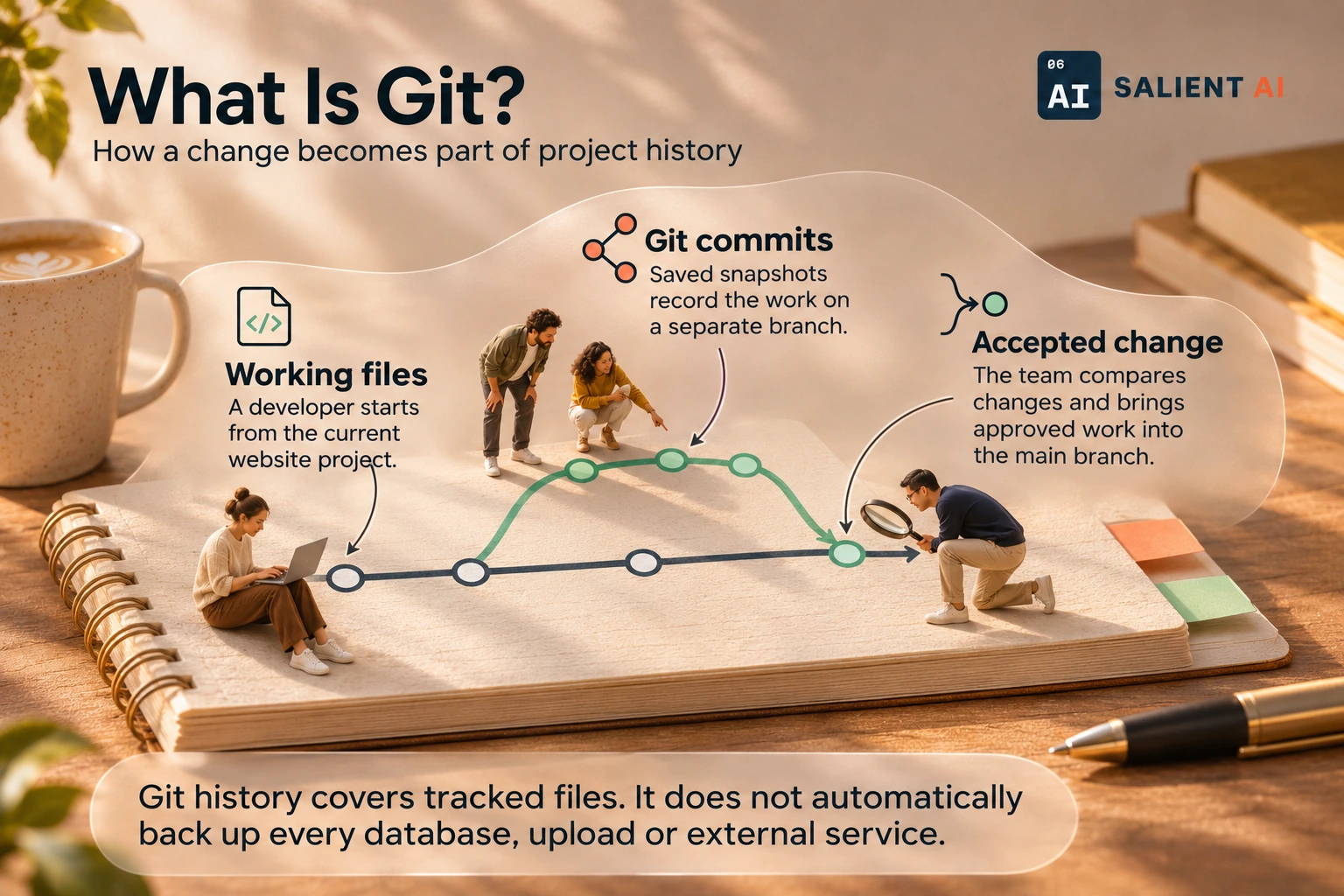
How a change becomes part of project history
Git tracks saved versions of files. Publishing is a separate step.
AI-generated illustration of a fictional business.
Read the infographic as text
Git tracks saved versions of files. Publishing is a separate step.
- Working files: A developer starts from the current website project.
- Git commits: Saved snapshots record the work on a separate branch.
- Accepted change: The team compares changes and brings approved work into the main branch.
Git history covers tracked files. It does not automatically back up every database, upload or external service.
Simplified explanation based on this entry’s sources and further reading.
Why would Git matter to a business?
Git gives website and software changes a reviewable record. A maintainer can explain what was changed, compare it with an earlier version and combine work from different people. AI coding tools can work within this process when they have suitable access.
For an owner, the value is the ability to review a change before it becomes part of the working website. A useful history gives context: what problem was being solved and which files changed. This is particularly helpful when different people or AI tools contribute, because the business still needs an accountable path from a proposed edit to an approved release.
A practical Git example
Illustrative example: a developer saves the current website, creates a separate branch for an enquiry-form change and reviews the difference before accepting it into the main line of work. The business tests the resulting form before the updated site is published.
The developer describes the intended change in ordinary language and includes the form behaviour that needs checking. A reviewer compares the proposal with that description, then tests the result using a representative enquiry. The recorded change gives the next maintainer a starting point if a later problem appears in the same part of the website.
A useful distinction about Git
Git is the version-control software. GitHub is one platform that can store Git repositories and support collaboration. You can use Git without GitHub, and neither name means that the public website is automatically hosted or updated.
Keeping a Git history and having a publishing process are related decisions, but they solve different problems. History helps explain changes; the release process determines which version customers receive. A business should understand how the two connect, including whether accepting a change triggers publication or whether another deliberate step is required before the site goes live.
A useful first question about Git
Where is the shared repository, who can access it and what triggers publication? Those answers connect the technical history to the way your business approves website changes.
Ask for a walkthrough of one recent change from proposal to public website. Identify who reviewed it, where the result was tested and how the published version can be traced. That demonstrates whether the history supports a real review process rather than simply storing files.
Sources and further reading
Want help applying this in your business?
Talk with Salient AI about your team’s needs and a practical next step.
Explore AI consulting for your business