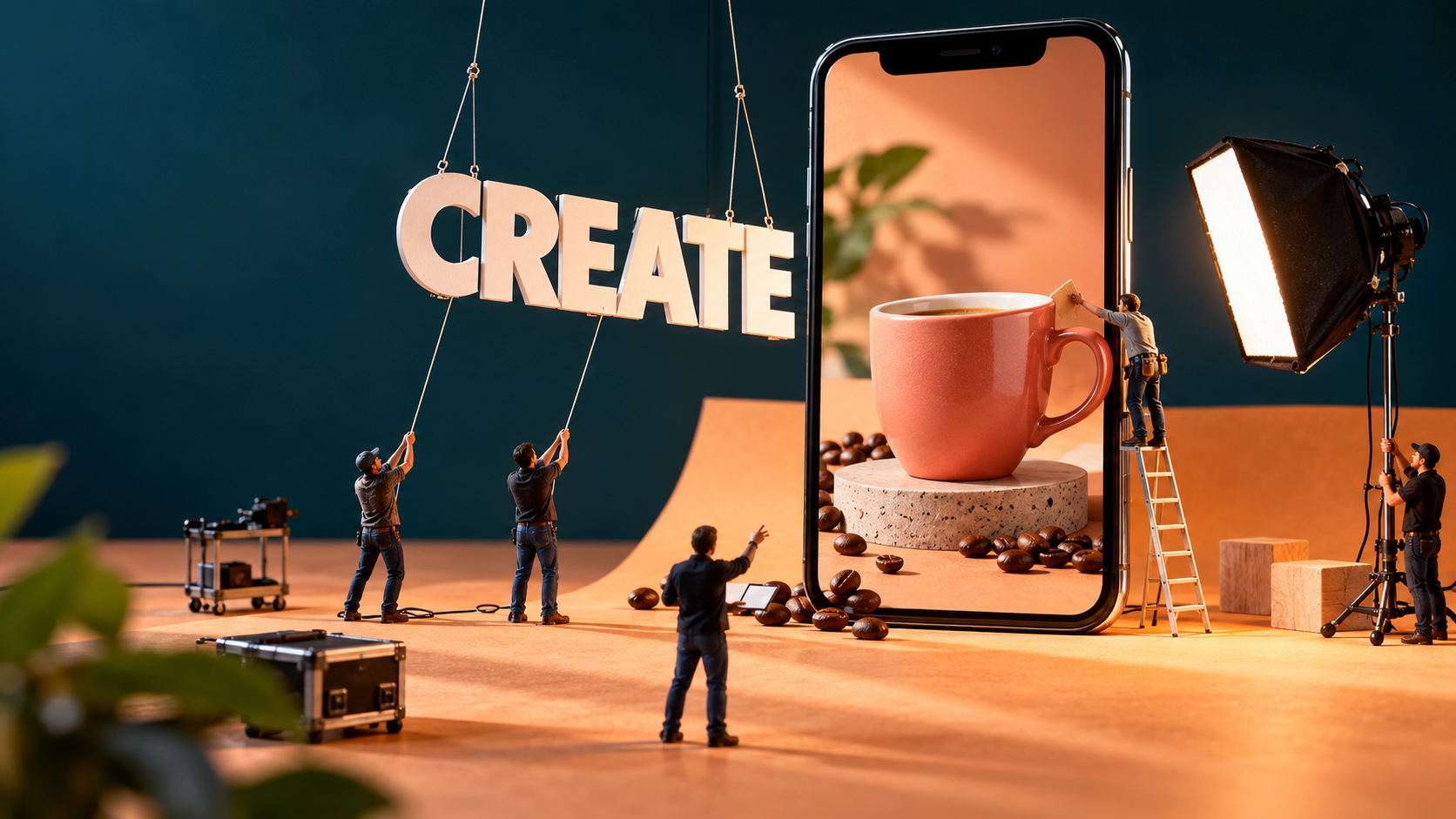
Make useful social videos from your photos and recordings without learning a video editor. Give an AI assistant the material and describe what you want. With permission, it can run tools on your computer and turn that brief into a video to review, revise and post.
You do not need another paid editing suite for the local workflow demonstrated here. No Adobe subscription or paid CapCut upgrade is required. Free tools handle assembly, effects and optional narration; an appropriately equipped AI assistant can help install and operate them with your permission.
For suitable everyday work, that means less hands-on editing and less need to outsource every routine post. You supply the message and judge the result. These product launches and service explanations took requests and revisions, not one perfect prompt.
AI does not need to invent every frame. Start with material you own or have permission to use. These branded examples are independent technique demonstrations, not commissioned campaigns or endorsements.
Start with a clear business-video brief
Give the video a job: introduce a product or explain your work. Supply suitable photos or footage, say where it will appear and what must stay unchanged.
For a window company: “Use our repair footage to explain when foggy glass needs replacing. Make a short portrait video and finish with ‘Send us a photo’.” With a described archive to search, the assistant can select files, arrange the clips and produce a draft.
Watch the draft, then say: “Show the damaged glass earlier. Make the contact details easier to read.” The assistant revises and runs the tools again. You judge the explanation instead of adjusting every layer.
Once the message works, ask for another layout or language version. You approve what customers see; these examples do not include unattended posting.
Use free video-editing tools and optional AI voiceover
FFmpeg is a free tool for assembling and processing video and sound.[1][4] You do not need to learn its commands. Kokoro is an optional free text-to-speech tool that turns scripts into narration on a suitably configured computer.[5] The assistant prepares and runs the instructions.
These tools are installable, not built into every computer. The assistant needs project-folder access, permission to run commands and a machine that can handle the work. Ordinary chat without that access cannot edit local files. Get setup help if needed.
You can use ChatGPT or Claude, with suitable computer/tool access and your permission, to coordinate the work and write instructions and helper code. Local graphics tools prepared layouts, cutouts and movement; FFmpeg assembled picture and sound. Kokoro supplied explanatory speech, except in 05, which keeps the narrator’s original synchronized voice.
Product photographs supply the cans and bottles; the narrator is recorded; the typography is computer-drawn. Some earlier business examples use separately generated imagery or an avatar. Captions identify the ingredients.
Start with an edit you already need
“Trim this answer, make it portrait, add my name and lower the music under speech” may be more useful than an elaborate effect. FFmpeg provides filters for that work.[1] The assistant returns a file to review.
Reply, “Start at the second sentence,” or ask to hold the name longer. You can make those decisions without editing terminology.
Ambitious treatments need additional graphics, cutout or tracking tools. The assistant coordinates them; FFmpeg does not make every cutout or generate voices.
Let your computer do the video editing
You do not need AI to generate every frame or change everything in a photograph. AI gives the instructions; free tools on your computer do the editing, using your existing photos and recordings.
Rendering—the step that creates the finished video—uses your computer’s processing power, not AI-model tokens. Asking AI to plan the edit, write code or make changes still uses the model, with any usage or subscription costs.
Save the project and commands so your computer can run the edit again without AI working out every step from scratch. Reusing that work can reduce AI calls compared with asking it to redo everything; token savings depend on the task.
Try a small video with your own material before paying for another editing suite or commissioning more work. If you hire help, ask for the source files and find out which revisions are included.
Allow for setup, computer time and your review. These examples show what you can make, not measured savings or sales.
Create more product and service videos from the same material
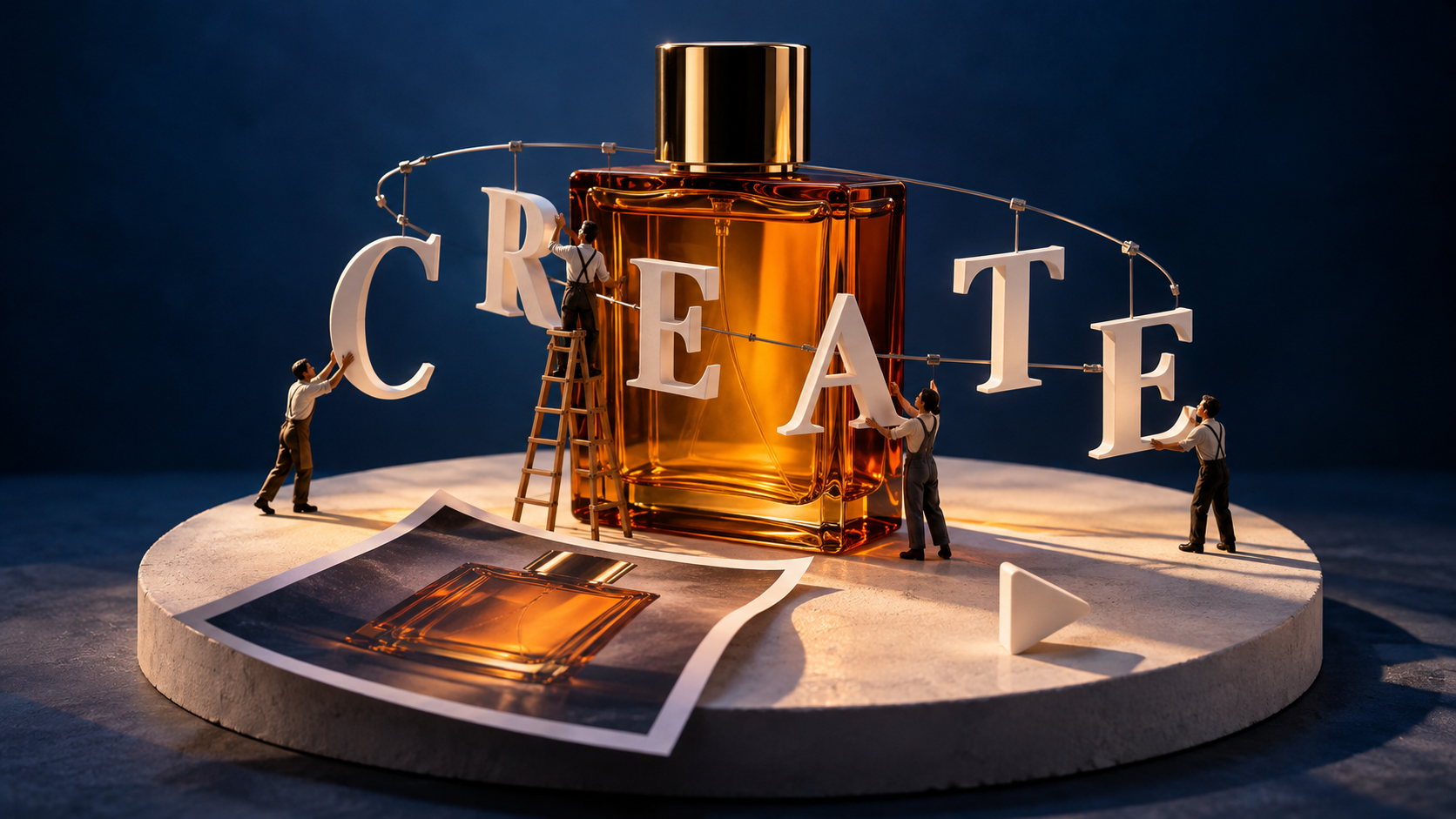
The Poppi introduction in 01 turns three product photos into a coordinated launch video with changing headlines and a final lineup. The labels stay photographed.
In 03 and 04, those assets become a wider composition and English and French versions. “Make it wide” means rearranging products and words, not cropping the finished video.
Separate pictures and words also make revisions practical. “Give the French headline more reading time” changes the source, rather than trying to edit text baked into an MP4.
For a different mood, the Bon Parfumeur examples add detail windows in 02 and white orbiting lettering in 17. Both keep the bottle photographic, without reconstructing it in 3D.
For an explanation, point out a feature. The magnifier in 06 enlarges a photo detail; the workshop pointer in 09 follows moving work.
For a service, show how an enquiry might unfold. Example 13 puts fictional booking messages beside phone footage without exposing private conversations or pretending the stock model is a customer.
Pick the treatment that helps your message. You do not need a video with every effect in it.
Try 17 business-video ideas with starting prompts
Choose the business job, then try its prompt. Ask the assistant to run local tools, preserve originals, save editable production source and return a review copy. The numbers identify examples, not a required sequence.
These are starting prompts from iterative work, not one-shot recipes. Demonstration narration explains the capability; request your own approved message for customer-facing videos. Clean masters remain separate; 05 keeps the narrator’s recorded speech.
Find an example that fits the job:
- Introduce a product and reuse the campaign: 01 range launch, 02 layered product presentation, 03 landscape adaptation and 04 English/French versions.
- Help people notice a detail: 06 magnifier, 09 tracked workshop callout, 14 product-detail reveals and 08 photo-treatment comparison.
- Explain your people and service: 05 real-person introduction, 13 illustrative conversation and 11 typography-led service message.
- Present a collection, place or atmosphere: 07 editorial story, 12 connected image journey, 10 educational depth, 15 botanical backdrop and 17 white orbit typography.
- Give footage a deliberate pace: 16 music-led editing with real action.
Introduce a product and reuse the campaign
01. Launch a product range from the photographs you have
Introduce a range without another video shoot. Ask for a launch from your product photos. Here, Poppi backgrounds and headlines lead to a final lineup; “Hold all three products longer” directs the next revision.
Existing Poppi packshots; the surrounding graphics, shadows and motion are computer-rendered.
Suggested starting prompt:
Introduce my range in a portrait launch video using these three product photos, flavour names and colours. Keep the packaging intact. Match the background and headline changes, then hold the full lineup for reading. Make a review copy with calm narration explaining reuse, and save a clean master.
The cans are photographic cutouts, not generated products or 3D models. Check labels and reading time before approving the draft.
02. Give a product photograph a more considered presentation
Give a product post more than a static image. Ask for a layered presentation. This Bon Parfumeur example combines the bottle, moving type and detail windows; request a slower reveal or simpler lettering if needed.
The bottle remains photographic. Masks, text, light accents and shadows are designed layers.
Suggested starting prompt:
Give my perfume photos a layered portrait presentation. Reveal the picture, move lettering behind the bottle and show close-up windows, with a subtle light accent and soft shadow. Keep the label intact. Make a review video with calm explanatory narration and save a clean master.
These are cropped detail windows, not new viewpoints; the light accent is designed, not physically accurate relighting.
03. Adapt the campaign for a wider screen
Reuse a portrait campaign on a wider screen. Ask for a new layout, not a crop. Here, Poppi products and headlines are rearranged from source assets; you can request more space around the words.
The same source packshots are recomposed for a wide frame; the background is designed artwork.
Suggested starting prompt:
Adapt my portrait campaign for a wide website placement. Use the original product photos and editable words; rearrange them rather than cropping the finished video. Preserve the labels, briefly explain the reuse and show me a rendered draft.
The wider frame uses designed artwork, not generated scenery. Keep the source; exported MP4 text is no longer editable wording.
04. Prepare English and French versions from one set of assets
Serve two language audiences with one set of photographs. Ask for adapted wording and separate narration, then review both. These English and French drafts change the campaign message while keeping packaging intact.
Two narrated versions belong to this one example.
Suggested starting prompt:
Make English and natural French versions of this campaign using my product photos and editable copy. Adapt the message and narration, not the packaging. Allow reading time in each language and save both scripts, narrated drafts and clean masters for review.
Kokoro supplies English and French voice presets, not cloned representatives. Have a suitable reader check French meaning and pronunciation before use.
Help people notice the detail that matters
06. Show a close-up without losing the surrounding picture
Help customers see a small feature without losing the whole picture. Ask for a moving magnifier. In this coffee example, it enlarges the area beneath it; you choose where it stops.
Coffee photograph: Mike Kenneally / Unsplash. The magnifier enlarges the image beneath it.
Suggested starting prompt:
Help viewers see this product detail. Make a portrait video with a magnifier moving across my photo, enlarging the area directly beneath it to at least twice its displayed size. Finish on my chosen feature. Invent no detail and add a calm explanation for review.
The lens enlarges the image directly beneath it. It cannot recover missing detail; supply a sharp photograph.
09. Keep an explanation attached to moving work
Explain a job while the work continues. Ask for a label that follows movement. Measured glove-and-cuff positions keep this callout with the workshop action; check the pointer before approval.
Existing workshop footage, measured region tracking and computer-rendered annotation.
Suggested starting prompt:
Explain the work in this workshop clip with a readable callout that follows the glove. Keep the real action and close with an invitation to ask about a project. Make a review copy with calm explanatory narration, and identify any slowdown or held frames.
This is region tracking, not rigid-point or 3D tracking. Half-speed playback duplicates frames and adds holds. Check the pointer through movement and obstruction.
14. Direct attention to different parts of a product
Give shoppers a closer look without inventing product movement. Ask to reveal important details. This watch example uses circular and diagonal openings and an enlarged crop; “Show the dial longer” changes the emphasis.
Existing watch photograph from a Pexels CDN source; graphic masks control what is visible.
Suggested starting prompt:
Help viewers notice the details in my watch photo. Use circular and diagonal reveals and an enlarged crop for a short review video. Preserve the shape, dial and labels; do not animate the mechanism or invent features. Add a brief explanation and save a clean master.
Still-photo compositing does not establish how the watch works or performs. Check product claims separately.
08. Compare two visual treatments honestly
Compare two looks before choosing a photo treatment. Ask to show the original against a warmer version. The moving boundary reveals the difference; “Reduce the warmth” directs another pass.
Room photograph: Daniil Silantev / Unsplash. The room and furniture do not change.
Suggested starting prompt:
Show me how this room photo looks with a warmer treatment. Make a moving-boundary comparison, keeping the room, furniture and framing unchanged. Explain that only the photograph changes. Save the treated image and a review video.
This is a photo treatment, neither a renovation nor a customer result. It is not a reliable product-colour reference.
Explain the people and service behind the business
05. Build an introduction around a real person
Introduce a real person while keeping their delivery. Ask for lettering behind the speaker. In the narrator’s recording, the words pass behind him and clear his head while his original voice stays synchronized.
Real camera footage; per-frame Apple Vision person masks and local compositing, not a generated avatar. Fixed person scale and framing; animated rear lettering. Original synchronized speech, not Kokoro narration.
Suggested starting prompt:
Make a portrait introduction from the narrator’s recording, keeping his original synchronized voice and speed. Keep natural, fixed full-frame framing and headroom. Put him on dark blue and move PROACTIVE and NOT REACTIVE behind him, then clear his head for reading. Do not zoom, float the cutout, invent body parts, retouch him or add synthetic speech.
Real camera footage supplies the close portrait; truncated arms and torso stay at its edges. Fine mask edges may shimmer.
13. Make the first customer conversation easier to understand
Explain an unfamiliar booking process before someone contacts you. Ask for a sample exchange beside phone footage. Fictional messages arrive in translucent cards; request longer holds for important questions.
Mixkit stock video 49923. The model is not a customer; the written exchange is illustrative.
Suggested starting prompt:
Explain how booking works using this phone-use clip and our sample exchange. Keep the person and phone visible beside translucent, softly blurred message cards that arrive one at a time and scroll away. Label the exchange illustrative. Add calm capability narration for review and save a clean master.
The blur samples the background, not messages. Card timing is designed, not tap-tracked; slowdown, repetition and a punch-in mean this is not one continuous take.
11. Introduce a service when you have no suitable footage
Introduce a service without footage. Ask to animate approved words in your colours. This studio example moves through “BRIEF”, “DESIGN” and “DELIVER” to an invitation; the words carry the video.
Original computer-drawn typography, lines and texture; no photographed scene.
Suggested starting prompt:
Introduce our service with animated words in our approved colours and fonts. Use “Find your focus”, then “BRIEF”, “DESIGN” and “DELIVER”, ending on “Start with a conversation”. Allow reading time. Make a review version with a short capability explanation and save a silent master.
The studio copy is illustrative. Approve your own message before asking the assistant to animate it.
Present a collection, place or atmosphere
07. Turn a photograph into an editorial story
Tell a short project story from one photograph. Ask for a cover, detail view and closing layout. This architecture example uses crops and publication-style graphics; request a longer full-building view if the detail loses context.
Architecture photograph: Simone Hutsch / Unsplash. Publication graphics and copy are fictional.
Suggested starting prompt:
Turn my architecture photo into a short moving editorial story: a cover, detail spread and closing layout. Preserve the building and use our approved wording with time to read it. Add calm review narration explaining how one image supplies the video.
This is flat graphic animation, not a physical magazine or new viewpoint. Different crops do not show different installations.
12. Connect separate images into a visual journey
Present a connected collection instead of disconnected slides. Ask for transitions between related pictures. Architecture, botanical and star images become a journey here, with “FORM”, “LIFE” and “STAR” as reading pauses.
Architecture and botanical images from Pexels CDN sources; stars: NASA/JPL/Space Science Institute.
Suggested starting prompt:
Make a portrait introduction to this collection of architecture, botanical and star images. Give each a clear word and a reading pause, then move through an opening in a letter into the next picture. Preserve the images and briefly explain the collection idea for review.
Flat images, letter masks and scaling create the journey, not a filmed location or 3D world. NASA’s “The Seven Sisters” also appears in 10.[3] Choose meaningful image connections.
10. Give an educational invitation a sense of depth
Give an educational invitation depth using existing images. Ask for movement between layers. Here, Earth sweeps against stars and lettering; the arrangement creates apparent depth without generating a new planet.
Earth: NASA Earth Observatory, Blue Marble 2002. Stars: NASA/JPL/Space Science Institute, The Seven Sisters.
Suggested starting prompt:
Turn these Earth and star images into an educational motion poster. Separate the globe, put some lettering behind it and move Earth clearly against the other layers. Keep the credits. Add an explanation for review without calling it true 3D or implying NASA sponsorship.
Blue Marble 2002 combines satellite observations.[2] With the separate star image,[3] this is a designed collage, not an accurate sky view or NASA endorsement.
15. Make a calm moving backdrop from a still image
Add gentle motion behind a message without filming a backdrop. Ask to animate a still. An extracted leaf is reused over a reconstructed wall with matching shadows; keep the movement secondary to your words.
Botanical photograph from a Pexels CDN source; leaf reuse, wall reconstruction and motion are designed.
Suggested starting prompt:
Make a calm moving backdrop from this botanical photo’s extracted leaf and wall patch. Move the leaves and soft shadows together while keeping the photographic texture. Label it designed still-photo animation. Add explanatory review narration and save a separate silent repeating version to check.
Drawn stems and graphic light complete the animation; this is not captured wind or measured relighting. The silent master has a small encoded repeat-boundary discontinuity, and narration is not a seamless audio loop. Check any repeat before display use.
17. Wrap moving white type around a product photograph
Give a product post a distinctive treatment without altering its bottle. Ask for white words to circle the photo. This Bon Parfumeur example hides rear lettering and reveals it at the front; slow those words if needed.
Official Bon Parfumeur 602 photography and a manually prepared cutout; projected lettering and background rendered by code.
Suggested starting prompt:
Make a product presentation with white words orbiting my bottle photo and cutout. Use no ribbon or backing band. Keep front letters readable, hide rear letters behind the bottle and preserve the label against a restrained background. Save a silent picture loop and a separate explanatory review version.
The photographic bottle is not reconstructed; lettering and masks do not simulate light through glass. Its white label is original. Only the clean picture is intended to repeat.
Give existing footage a deliberate pace
16. Shape a short business film around music
Give a few recordings deliberate pace. Ask for cuts and holds that suit the work and music. Workshop, parts and handle footage combine with slower action, a freeze and a faster return; hold useful action longer when needed.
Existing project recordings; original locally synthesized score; separate Kokoro narration.
Suggested starting prompt:
Make a short business film from these workshop, parts and handle clips and our supplied music. Cut on beats, slow a useful action, hold a moment and return faster without inventing action. Add a brief capability introduction and ending for review, leaving room for music. Save a music-only master.
An original procedural score supplies this example’s authored beat grid; it does not demonstrate automatic analysis of any song. Slow playback duplicates frames and fast playback skips them, without optical flow. The music-only master has music, not silence.
See AI-assisted video editing in business promotions
A finished post needs a message as well as a treatment. These examples turn assets and requests into a listing invitation, design sample, repair explanation and event promotion. Some ingredients were generated separately; local editing brought them together.
Give one image a clear offer
Towing USA needed an invitation to claim a listing. The promotion combines a fictional operator and truck scene from OpenArt and Kling with locally assembled headlines, branding, narration and music. Slowing the clip and holding a frame makes room for the invitation.
“Hold the listing invitation longer” revises that edit without regenerating the scene. The operator is fictional, not a photographed employee or a customer giving a testimonial.
The character-reference sheet collects eight views of that invented person for later image requests. Generating new views is separate, and consistency is not guaranteed.
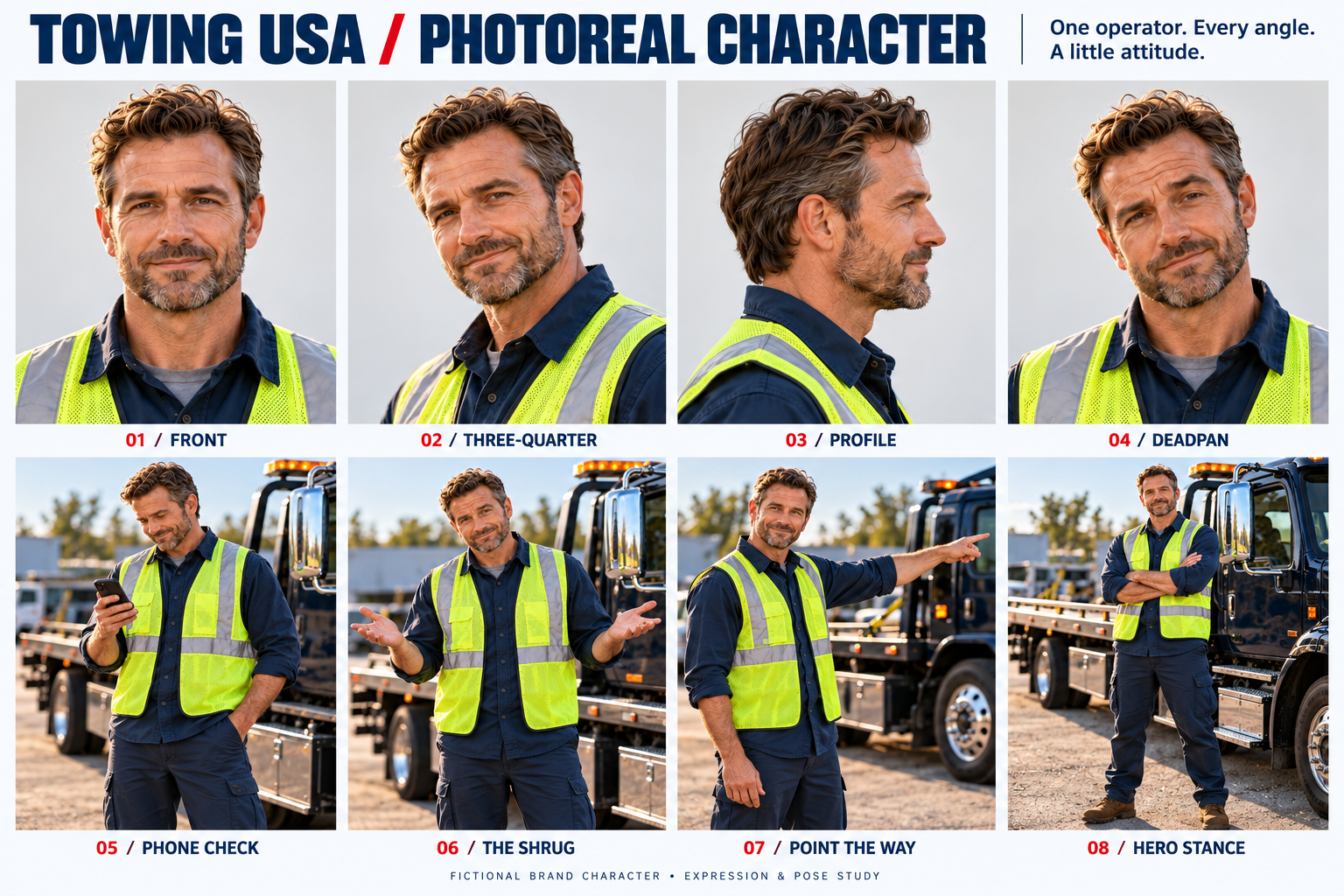
For your own people, use real photos with permission. Ask for a labelled reference sheet of front, three-quarter, side and full-body views, then review it. Creating a speaking avatar is separate.
Give existing pictures another job
For Randall’s, existing pictures become a moving design sample. A pattern, room picture, colour circles, logo and words move separately. The room is not a verified Randall’s installation.
That separation allows a practical revision: “Replace the room photo and hold the wording longer.” Check the colour treatment; decorative circles are not verified product matches.
Find the useful work in your archive
Centennial Glass already had useful video in its archive. The assistant searched a catalogue of window mechanisms, parts and cut-shop recordings, then assembled a repair message from selected files.
An AI avatar opens the sample; real archive footage follows, not one continuous customer job. The owner reviews whether the clips explain the service and requests replacements where needed.
“Find our window-repair footage” depends on useful descriptions. Preparing the catalogue is part of setup; an unorganised folder is not automatically a searchable production library.
Build an event invitation through a series of requests
An event promotion needs a place, a reason to attend and details to remember. For miCheckup and miRoncol, helper code and FFmpeg combined a Google Earth Studio opening, organizer footage, branding, an event card and separate Suno music. This concerns October 13, 2026: a past-event example, not a current invitation.
Requests shaped the opening, footage, moving windows and closing card. Organizer footage stays labelled as 2025 highlights; Google Earth credits remain visible. The edit did not establish attendance.
I asked: “Maybe try some different clips. Maybe it doesn't fill the screen.” The assistant changed the composition into moving windows. Another request changed the opening message. I could direct what I wanted to see without building those windows myself.
For your event, supply approved details, branding and usable footage. Ask for timestamped previews to select moments, then review the draft. A web link alone is not editable footage.
A small change can make information more prominent. The earlier silent demo highlights the booth number, underlines the event name and holds the ending. Check readability before adding animation.
Review and revise one useful business video
Choose something customers need to understand: an appointment, a product difference or preparation for work. Gather photos or record the explanation. Give the video a purpose before choosing effects.
Supply approved wording, your business name and a next step. Ask for one draft, preserving originals. This is turning business knowledge into useful content: delegate production, not business judgement.
Watch the whole draft on a likely customer device. Check speech, labels, faces and reading time. Say, “Lower the music here,” “Use the other photo,” or “Hold the ending longer.” Review the revision before requesting more formats.
Keep inputs, scripts and instructions together. Our guide to creating social media content with AI covers the wider process. Connect your marketing with help for repetitive tasks where useful; making and publishing the video remain separate decisions.
Direct the video without doing every edit
You know what your business needs to say. Spend more effort on that decision and less on operating an editor. Give the assistant a purpose, judge the draft and correct what misses the point.
As with using AI to build business websites, test something useful. An example made from your material tells you more than a list of features.
“Everything in the world takes effort and usually the more knowledge you have in it, the better the outcome.” — Stephen Lau
You still need effort and judgement, but not every production command. Learning to request the right change is different from learning to make each edit yourself.
If the result suits the job, reuse the workflow. If not, revise the direction or get specialist help. Less outside editing for suitable work does not mean replacing every professional production.
Get help making your first business video
Choose a prompt, add your photos or recording and ask for a draft. For help connecting the tools and choosing a useful first video, bring that material to the Salient AI team.
About Stephen Lau
Stephen Lau is the founder and president of Salient AI and Chief AI Officer of miRoncol. Drawing on more than two decades in business, marketing and technology, he has spent thousands of hours exploring practical AI uses for small businesses and startup founders.
His focus is helping owners and their teams connect AI to real business needs across marketing, administration, sales and lead generation. He brings a generalist’s understanding of how the pieces fit together, alongside practical experience using the tools. At Salient AI, he and the team help businesses choose a useful starting point, connect suitable tools and recognise when specialist expertise is needed.
Prepared from Stephen Lau’s ideas, direction and supplied business examples, with AI-assisted editorial production. Reviewed and approved for publication.
Production context
Descriptions come from saved project files, scripts, prompts and verification records, not independent customer-outcome studies. Captions identify sources; project records retain file-level provenance. These demonstrations do not establish rights to reuse third-party material in your own campaigns.
Sources
[1] FFmpeg Filters Documentation
[2] Blue Marble 2002 - NASA Science
[3] The Seven Sisters - NASA Science
[4] About FFmpeg